

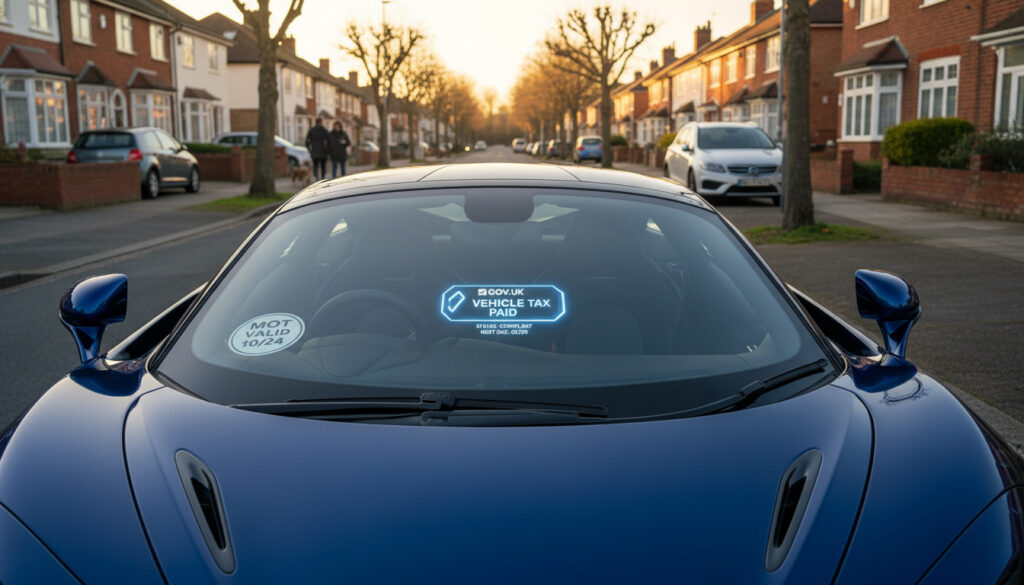
Drivers in the United Kingdom can verify road tax, MOT status, and vehicle specifications instantly using the Driver and Vehicle Licensing Agency’s free online service. Entering a vehicle registration number into the official GOV.UK database returns current tax expiry dates, MOT validity, engine specifications, and CO2 emissions without requiring registration or payment.
The DVLA maintains continuous records for every registered vehicle in Great Britain. While the primary lookup tool provides real-time tax and MOT status, separate official services exist for detailed MOT history, tax renewal, and driver licence verification. Third-party websites offering combined checks pull identical data from DVLA APIs but cannot verify insurance coverage or finance agreements.
Understanding the distinction between official government sources and third-party aggregators prevents reliance on incomplete information. This guide outlines the precise capabilities of each checking method, the specific data points available, and the statutory limitations regarding insurance and vehicle provenance verification.
How to Check if a Vehicle is Taxed
Instant confirmation of current Vehicle Excise Duty (VED) validity and expiry date using the registration number.
Current certificate expiration displayed alongside tax status; historical test records require separate lookup.
Not available through DVLA databases; requires direct insurer contact or Motor Insurance Bureau queries.
Direct access to tax renewal portals, SORN declaration, and Driver and Vehicles Account management.
- The official GOV.UK vehicle enquiry service provides DVLA-sourced data at no cost and without account registration.
- Third-party checking websites access identical tax and MOT records through government Application Programming Interfaces.
- Telephone enquiries to the DVLA remain available for owners seeking additional details such as colour or first registration dates.
- Insurance status verification stands entirely separate from vehicle tax and MOT checking systems.
- The Welsh language version of the vehicle checking service operates through the same official portal.
- Statutory Off Road Notification (SORN) status appears within standard vehicle enquiries for non-operational vehicles.
| Check Type | Official Tool | Requirements | Cost |
|---|---|---|---|
| Current Road Tax Status | GOV.UK Vehicle Enquiry | Registration Number | Free |
| MOT Expiry Date | GOV.UK Vehicle Enquiry | Registration Number | Free |
| MOT History & Mileage | GOV.UK Check MOT History | Registration Number | Free |
| Tax Renewal | Vehicle Tax Service | V5C Reference or V11 | Variable (tax rate) |
| Driver Licence Verification | View Driving Licence Service | Driving Licence Number | Free |
| Combined Third-Party Check | CarVeto/OSCAR | Registration Number | Free (basic) |
| Insurance Verification | Contact Insurer Directly | Policy Details | Free |
| Vehicle Specifications | GOV.UK Vehicle Enquiry | Registration Number | Free |
| SORN Status | GOV.UK Vehicle Enquiry | Registration Number | Free |
| Export Status | GOV.UK Vehicle Enquiry | Registration Number | Free |
How to Check MOT Status and History
The Ministry of Transport test certifies that vehicles meet road safety and environmental standards. While the primary DVLA lookup confirms whether a current MOT certificate exists and when it expires, the detailed history of previous tests, recorded mileages, failures, and advisory notes resides in a separate government database.
Current MOT Certificate Validity
Entering a registration number into the GOV.UK vehicle enquiry service returns the expiry date of the current MOT certificate alongside tax status. This check confirms whether the vehicle holds a valid test certificate as of the current date. No login credentials or ownership documentation are required for this basic verification.
Full MOT History Records
For comprehensive maintenance records, the dedicated MOT history service displays all previous tests conducted since 2005. This includes recorded mileages at each test—critical for identifying potential clocking—along with failure reasons and advisory notes indicating wear on components such as tyres, brakes, or suspension. This information proves particularly valuable when purchasing a used car, revealing patterns of neglect or recurring mechanical issues.
The primary DVLA vehicle enquiry deliberately omits full MOT history and detailed mileage records. Users requiring historical test data must access the separate MOT history tool, which draws from the same official database but presents longitudinal maintenance information rather than current status alone.
How to Verify Vehicle Insurance
Unlike road tax and MOT status, motor insurance verification does not operate through a single, publicly accessible government portal accessible by registration number alone. The DVLA databases do not contain real-time insurance policy information for all vehicles, creating a significant gap in the free checking ecosystem.
Why Insurance Checks Differ from Tax and MOT
Vehicle insurance data resides with individual insurers and the Motor Insurance Bureau rather than the DVLA. While the police and certain authorities can access the Motor Insurance Database directly, members of the public must verify coverage through alternative means. No free GOV.UK tool currently provides comprehensive insurance verification using only a vehicle registration mark.
Available Methods for Insurance Verification
Drivers should contact their insurer directly to confirm policy validity or check their own documentation. When purchasing a vehicle, buyers must request proof of existing coverage or arrange new insurance before driving. The licence checking service allows drivers to view their own licence details and any penalty points, but this remains distinct from vehicle-specific insurance verification.
Free DVLA and third-party vehicle checks cannot confirm whether a car currently holds valid insurance. Relying solely on registration-based lookups when purchasing a vehicle risks driving uninsured. Always contact the insurer directly or use the Motor Insurance Bureau’s own verification services for definitive coverage confirmation.
Free Tools to Check Car Tax, MOT and Insurance Together
Several third-party websites aggregate DVLA data to present unified dashboards displaying tax and MOT status simultaneously. Services such as CarVeto and OSCAR access the Vehicle Enquiry Service API to return specifications, tax expiry, and MOT status within a single interface. These tools often supplement basic government data with MOT history mileage charts and recall information.
However, these aggregators face identical limitations to official sources regarding insurance data. While they streamline the checking process by combining tax, MOT, and specification lookups, they cannot access real-time insurance databases. Paid tiers on some commercial sites may offer finance checks, theft records, or write-off status through separate data providers, but free versions remain restricted to DVLA-sourced information.
Third-party checking tools pull identical core data from DVLA APIs as the official GOV.UK service. While presentation layers differ, the underlying tax status, MOT expiry, and vehicle specifications originate from the same government source. Users should verify the freshness of data displays, as aggregator caches may occasionally lag behind real-time DVLA updates.
Step-by-Step Guide to Checking Your Vehicle
- Locate Registration Number
Identify the vehicle registration number (number plate) for the car, van, or motorcycle requiring verification. - Access Official GOV.UK Service
Navigate to the vehicle enquiry service and enter the registration without spaces or special characters. - Review Tax and MOT Status
Examine the returned data for current road tax validity date, MOT expiry, SORN status, and vehicle specifications including engine size and emissions. - Check MOT History Separately
Visit the MOT history service using the same registration to view past test dates, recorded mileages, failure reasons, and advisory notices. - Arrange Renewal if Required
If tax has expired, use the Vehicle Tax Service or Driver and Vehicles Account to renew. For expired MOT, book a test at a GOV.UK-approved centre. - Declare SORN if Off-Road
If the vehicle will not be used on public roads, submit a Statutory Off Road Notification to exempt it from tax and insurance requirements.
What Information Is Definitive vs. Uncertain
| Established Information (High Certainty) | Information Gaps and Limitations |
|---|---|
| Current road tax status and expiry date sourced directly from DVLA records. | Real-time insurance coverage status is not available through free DVLA checks. |
| MOT certificate validity and expiration date confirmed through official government databases. | Outstanding finance agreements or hire purchase details require separate HPI checks. |
| Vehicle specifications including manufacturer, model, fuel type, engine capacity, and CO2 emissions. | Theft or write-off status is not verified in standard free government vehicle enquiries. |
| Recorded mileage at each MOT test since 2005 through the dedicated history service. | Continuous mileage tracking between MOT tests is unavailable. |
| SORN declaration status indicating whether a vehicle is registered as off-road. | Private parking tickets or congestion charge liabilities are not disclosed. |
| Export status showing if a vehicle is currently marked for international transfer. | Previous keeper history and V5C ownership changes require log book examination. |
Legal Framework for Vehicle Compliance
United Kingdom statute mandates that every vehicle driven on public roads maintains valid road tax, a current MOT certificate (if over three years old), and appropriate insurance coverage. The DVLA maintains the central register of taxed vehicles and collaborates with insurance databases to identify uninsured vehicles through automatic number plate recognition systems.
Drivers visiting locations such as Queen Elizabeth Country Park Parking or traversing between counties must ensure documentation remains current. Enforcement penalties for non-compliance include fixed fines, clamping, and potential vehicle seizure. The official used car guidance emphasizes verifying the V5C log book watermark, serial number, and matching registration details before purchase.
When considering a Vauxhall Astra For Sale or any second-hand vehicle, buyers should cross-reference the seller’s documentation with live DVLA data. The V5C document, MOT certificates, and service history should align with the digital records accessible through government portals.
Official Sources and Verification Methods
“Check if a vehicle has up-to-date vehicle tax or has been registered as off the road (SORN). It can take up to 5 working days for the records to update.”
— GOV.UK Vehicle Tax Service
“Find out if a vehicle has an MOT certificate and when it runs out. You’ll need the vehicle’s registration number.”
— GOV.UK MOT Status Check
“Check the MOT history of a vehicle from 2005 onwards, including if it passed or failed, the mileage at the time of the test, and what parts failed at each test.”
— GOV.UK MOT History Service
Immediate Actions After Checking
Upon confirming tax or MOT expiry through official channels, immediate renewal prevents penalty accumulation. Use the Driver and Vehicle Licensing Agency digital services to set up reminder notifications or manage multiple vehicles through the Driver and Vehicles Account. For vehicles remaining unused, declaring SORN exempts owners from tax and insurance obligations while preserving the registration.
Frequently Asked Questions About Vehicle Checks
How do I tax my car after checking the status?
Renew road tax online through the Vehicle Tax Service using your V5C reference number or the 16-digit number from your V11 reminder. Payment can be made annually or monthly via direct debit. The new tax disc display requirement no longer exists, but records update immediately in the DVLA database.
What happens if my MOT has expired?
Driving without a valid MOT certificate risks a £1,000 fine and invalidates your insurance. Book a test immediately at an approved centre; you may drive to a pre-booked test without a current MOT. The vehicle cannot be used for any other journeys until certification is renewed.
Can I check if a vehicle is insured using the DVLA website?
No. The DVLA vehicle enquiry service does not display insurance status. To verify coverage, contact the insurer directly or check your own policy documents. The Motor Insurance Bureau operates separate databases not directly accessible to the public via registration number lookups.
How accurate are third-party vehicle check websites?
Third-party sites accessing DVLA APIs display accurate tax and MOT data sourced from government records. However, presentation delays may occur. For critical transactions such as vehicle purchases, verify information directly through GOV.UK portals to ensure real-time accuracy.
What is SORN and when should I declare it?
Statutory Off Road Notification applies to vehicles kept off public roads and not driven. Declaring SORN stops tax and insurance requirements. You must SORN the vehicle before cancelling insurance or tax refunds can be processed. The declaration lasts indefinitely until you tax the vehicle again.
Do I need to check tax and MOT before buying a used car?
Yes. Verify current tax status and MOT validity through GOV.UK using the registration number. Additionally, check the full MOT history for mileage consistency and recurring faults. Ensure the seller’s V5C document matches DVLA records and displays the correct watermark and serial number.
How often does MOT and tax data update on GOV.UK?
MOT test results typically appear within 24 hours of test completion. Tax records update immediately upon payment or SORN declaration, though the system may display a processing period of up to five working days for certain complex transactions or direct debit setups.

Hanna oversees reviews and standards at DailyBrief. With a background in health and consumer journalism, she second-reads our health, money and other sensitive articles against primary sources — the NHS, NICE, Mayo Clinic and official government guidance — before they publish, and writes much of our wellbeing and personal-finance coverage.